


This documentation will guide you to learn the process to Install and Activate the Wow Elements free plugin on your WordPress site step by step.
What is Wow Elements? #
Wow Elements Addons for Elementor is an advanced WordPress plugin for Elementor page builder that packs an entire library of premium widgets, Elementor design extensions & powerful modules to build fast, dynamic & beautiful websites without code. Offering extensive layout designs, animations and interactive elements Wow Elements helps you build a feature-rich, fully customized and responsive website for your clients while boosting your productivity.
Where to Find the Free Plugin? #
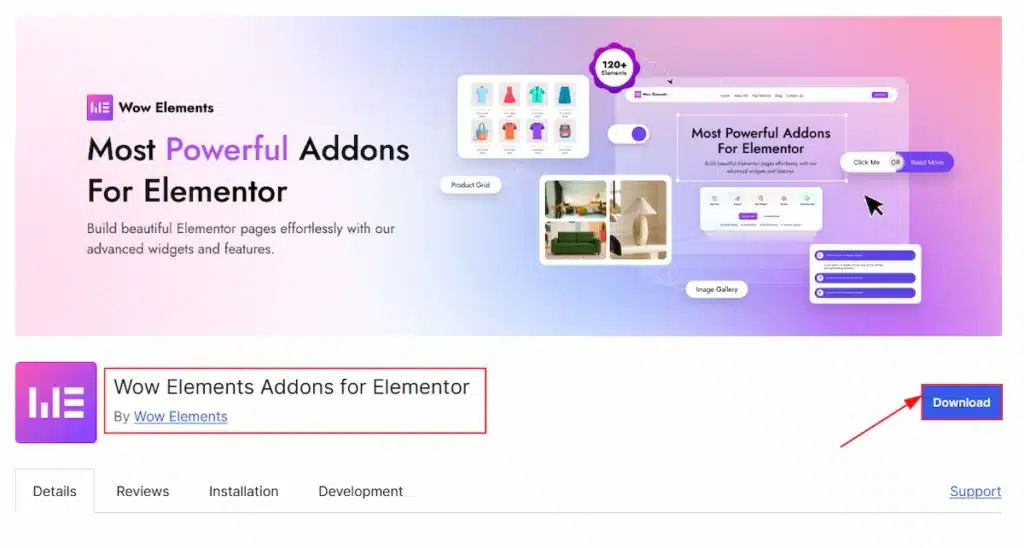
To use the Wow Elements plugin, you need to download the plugin first. You can easily find the plugin on the WordPress.org site. Go to the site and search for the Wow Elements and then download the plugin. To make it more easier for you we have attached the download link here. Just visit the link and click on the Download button/ Here is the DOWNLOAD LINK. After downloading the plugin you need to install the plugin on your site and activate the plugin.
Installing & Activating The Free Plugin on WordPress Site #
You can install the free plugin and activate the plugin on your WordPress site by following two different methods. Let’s start describing the methods one by one.
Method 1 of Installing and Activating the Free Plugin #
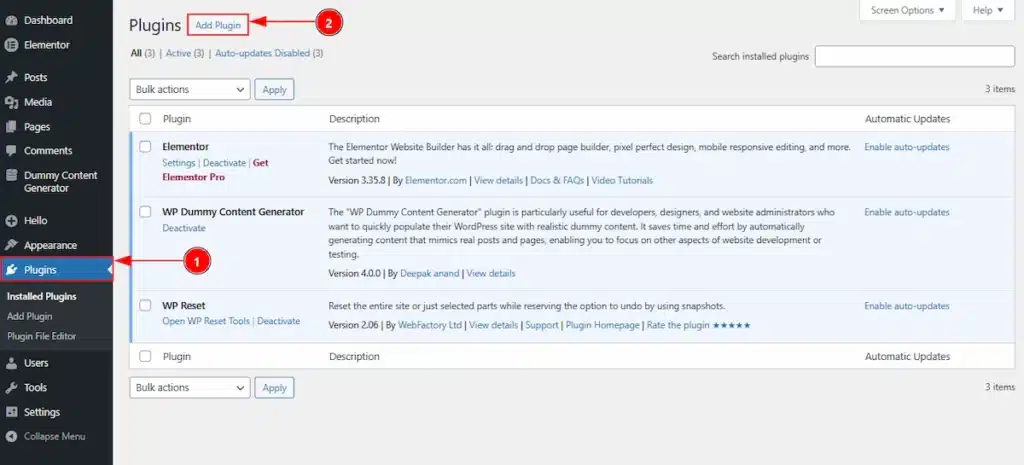
This method will work only if you have downloaded the free plugin from WordPress.org site. After download the plugin, you need to follow the below steps –
1. Go to WordPress Dashboard → Plugins Dashboard.
2. Click on the Add Plugin button to add your downloaded plugin of Wow elements.
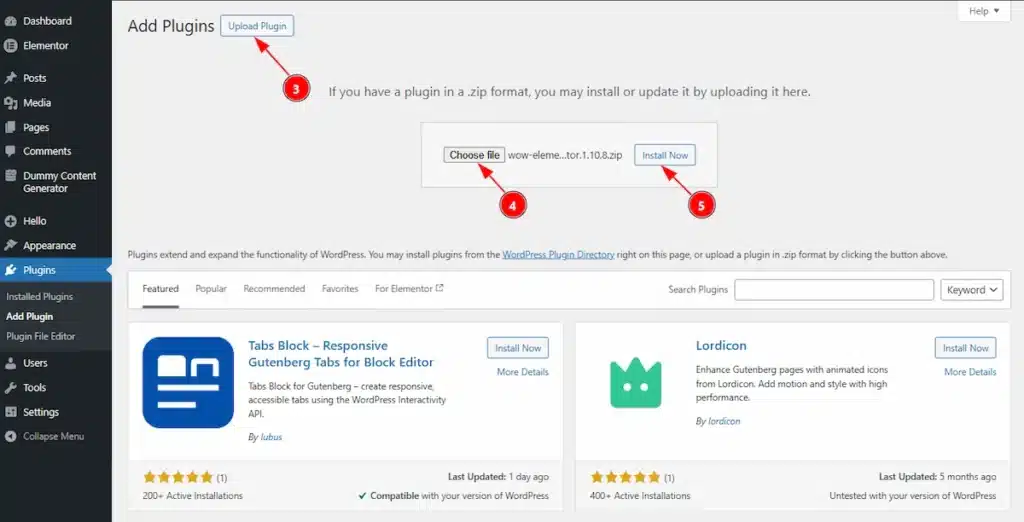
3. Click on the Upload Plugin button to upload the plugin file that you have already downloaded from wordpress.org site.
4. You need to click on the choose file to get option to select the downloaded file from your local storage.
5. After select the file, now click on the Install Now button to install the plugin.
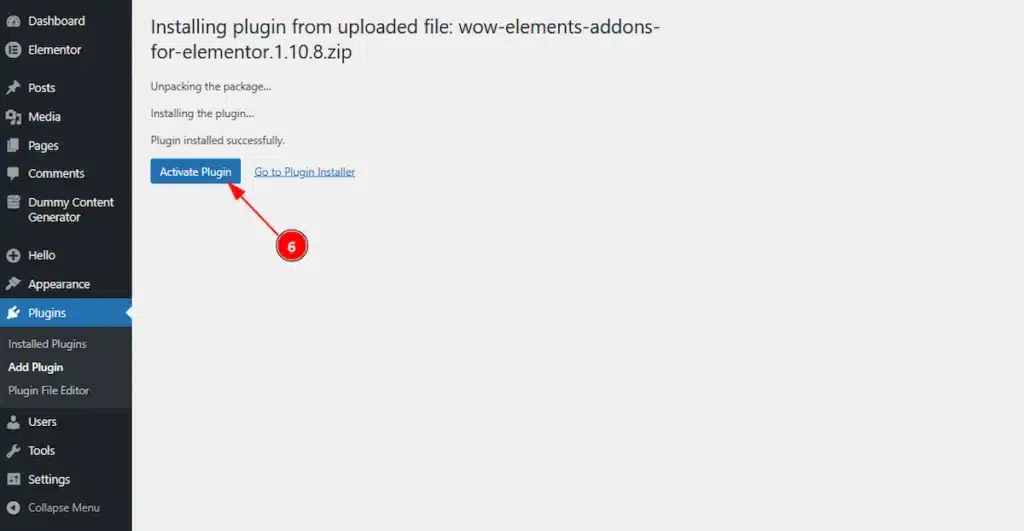
6. After clicking on the Install now button the plugin will install and you will get to see this Active Plugin button to activate the plugin. You need to click on that button.
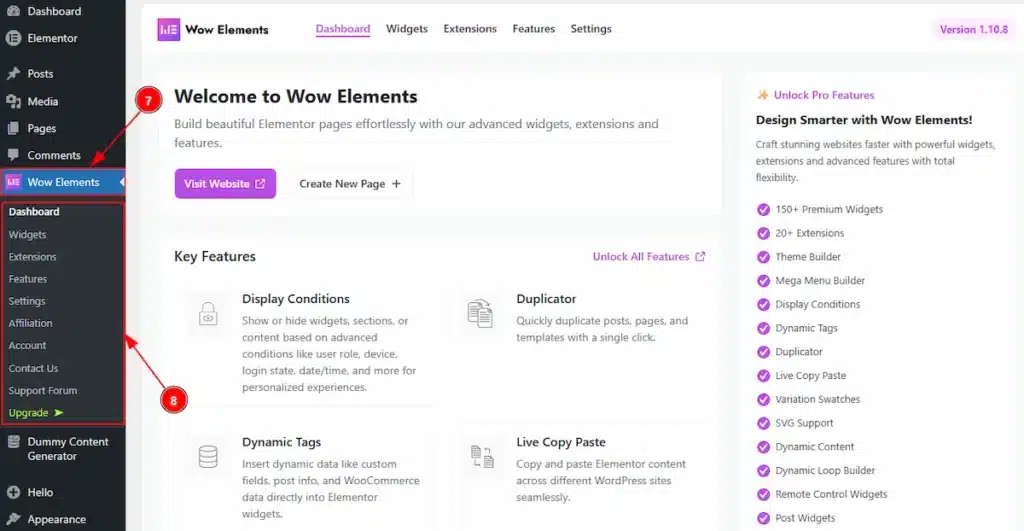
7. The plugin will activate instantly and then redirect you to the Wow Elements Dashboard.
8. Here you can manage the widgets, extensions, features, settings, affiliation, account, contact us, support forum & even upgrade the free plugin to pro plan.
Method 2 of Installing and Activating the Free Plugin #
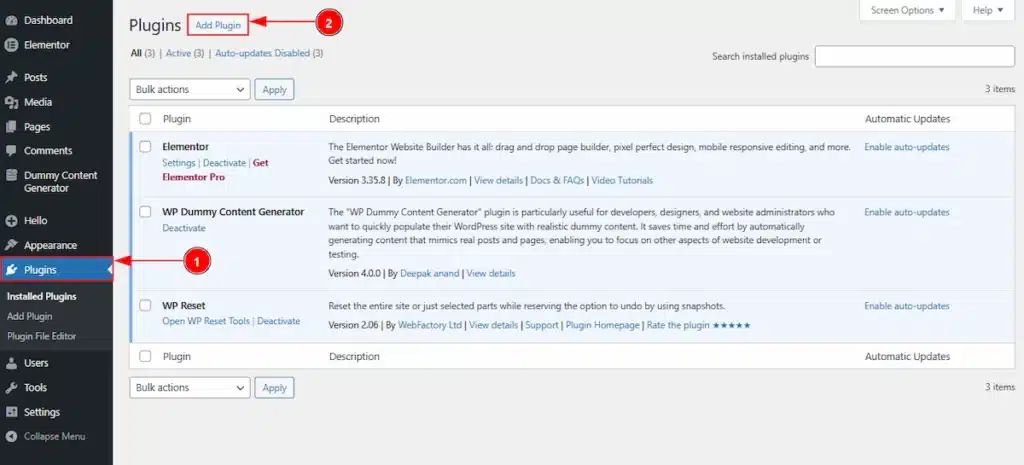
In this method, you don’t need to download the plugin file from wordpress.org site. Instead of downloading the plugin file you can install the plugin on your WP site. To do that please follow the below steps –
1. Go to WordPress Dashboard → Plugins Dashboard.
2. Click on the Add Plugin button to add the Wow elements plugin.
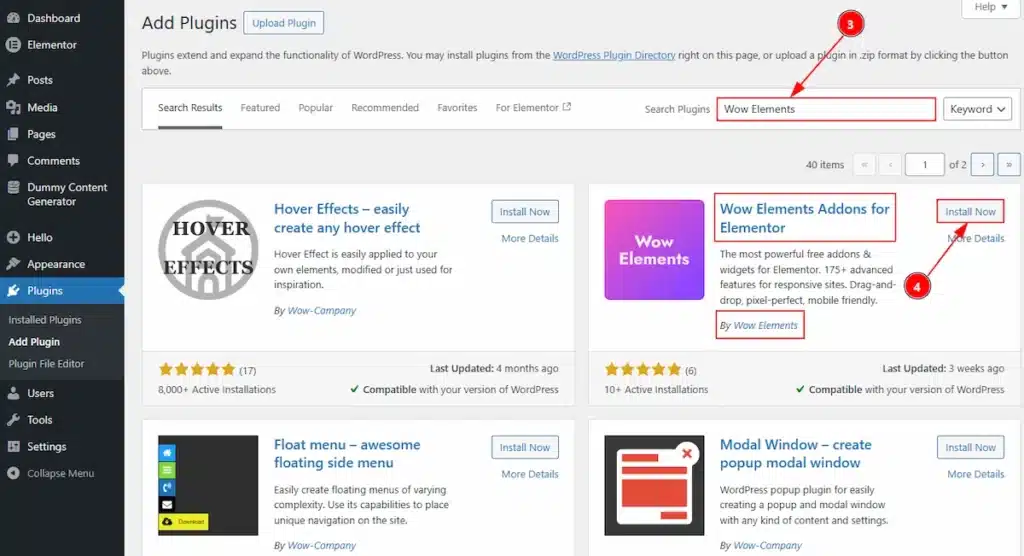
3. In the search field, type the name of the Wow Elements Plugin and you will get the plugin information below.
4. Select the right one by checking the name (Wow Elements Addons for Elementor) & Author (By Wow Elements), after that click on the Install Now button to install the plugin.
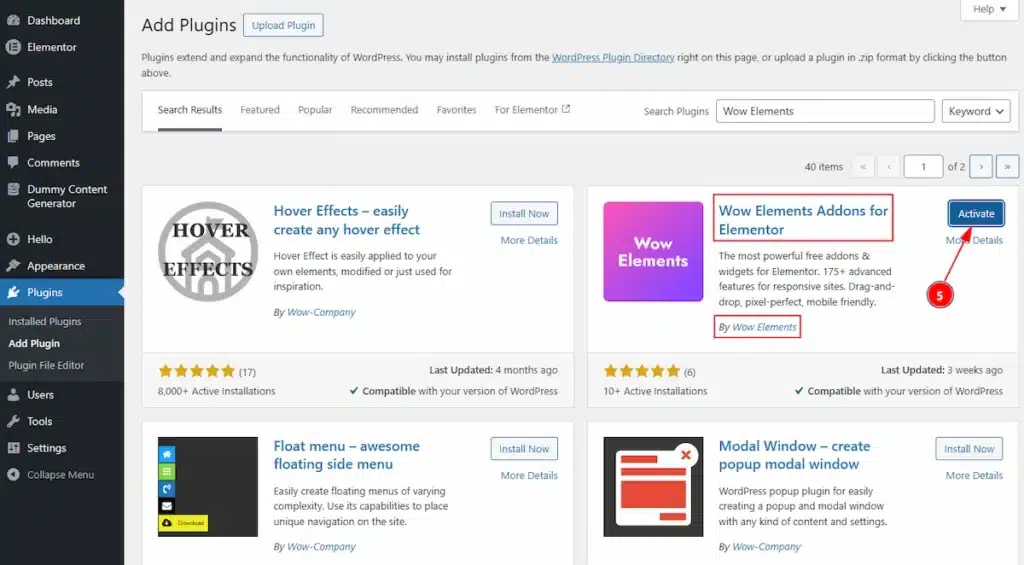
5. After installed successfully, the plugin will ask you to activate it. Click on the Activate button to complete the activation process.
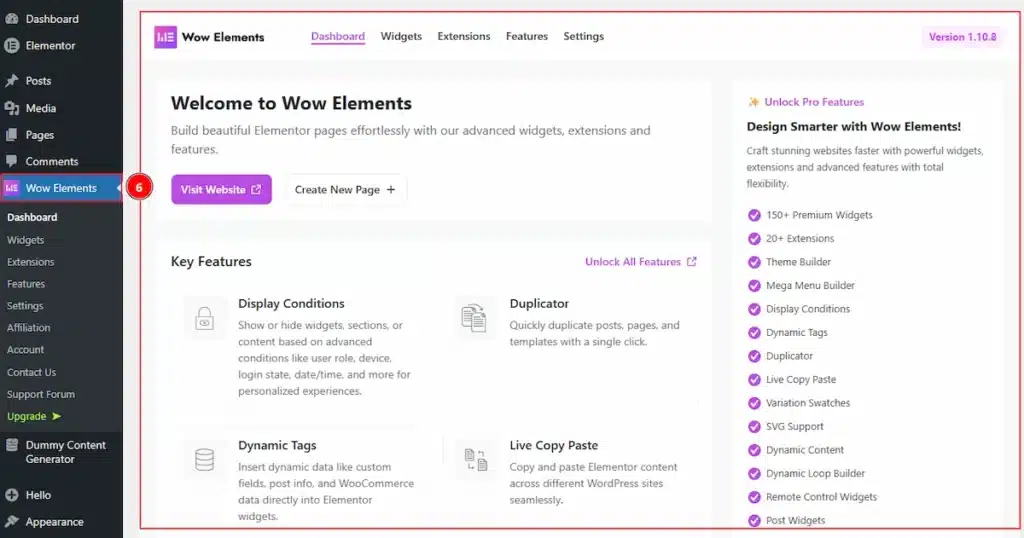
6. After activation process is completed, it will automatically redirect you to the Wow Elements Dashboard. Here you can manage the widgets, extensions, features, settings, affiliation, account, contact us, support forum & even upgrade plan from free to pro.
All Done, you have successfully installed and activate the Wow Elements free version on your WP site.
Video Assist #
The video is coming soon. You can learn more by watching the video tutorial to install & activate the Wow Elements Addon on your site.
Thank you for being with us.